Asimovo, Designing a Robotics Collaboration Platform
Robotics teams needed one place to design, run, and review simulations, without juggling tools or waiting on hardware. We shipped a v1 that got new users to a first successful run in under 15 minutes.
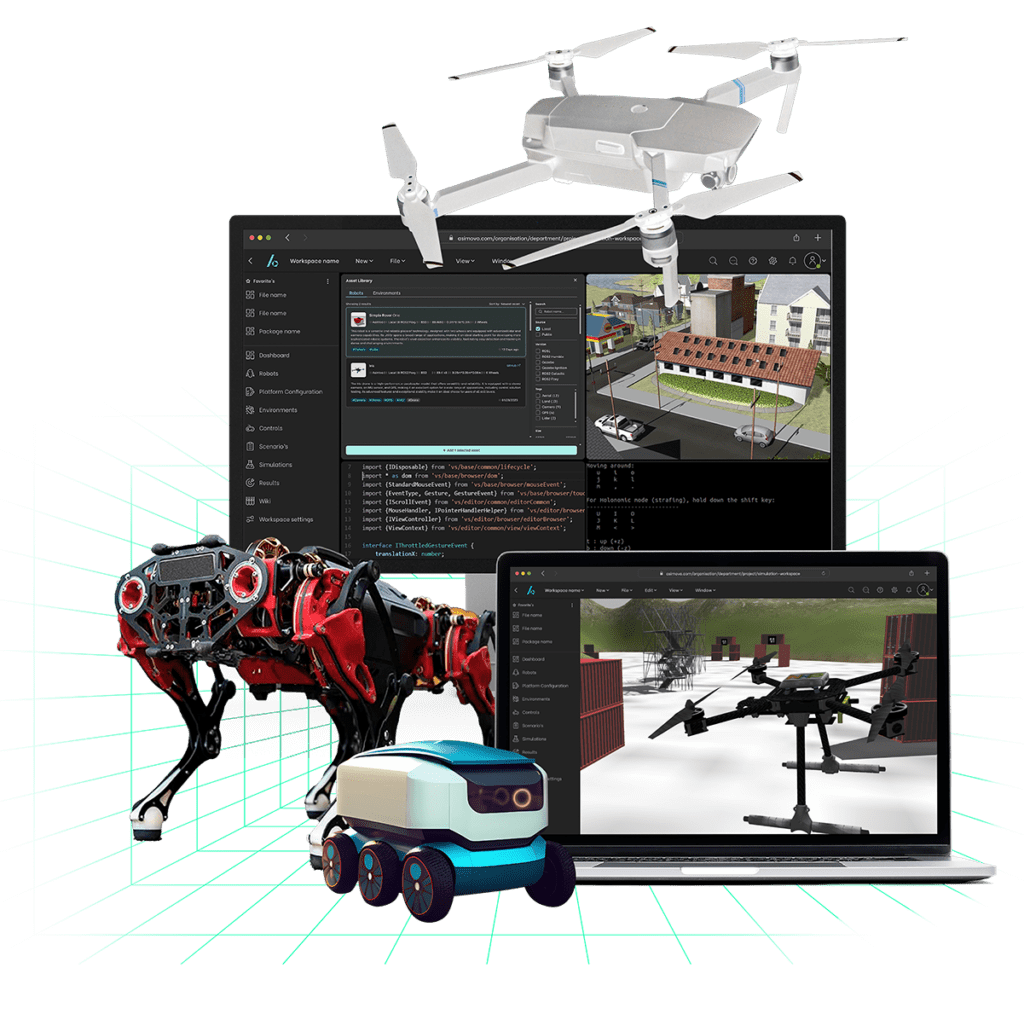
- Context: robotics teams needed one place to design, run, and review simulations without juggling multiple tools or waiting on hardware.
- Objective: ship the first usable version that new users can learn quickly and collaborate inside.
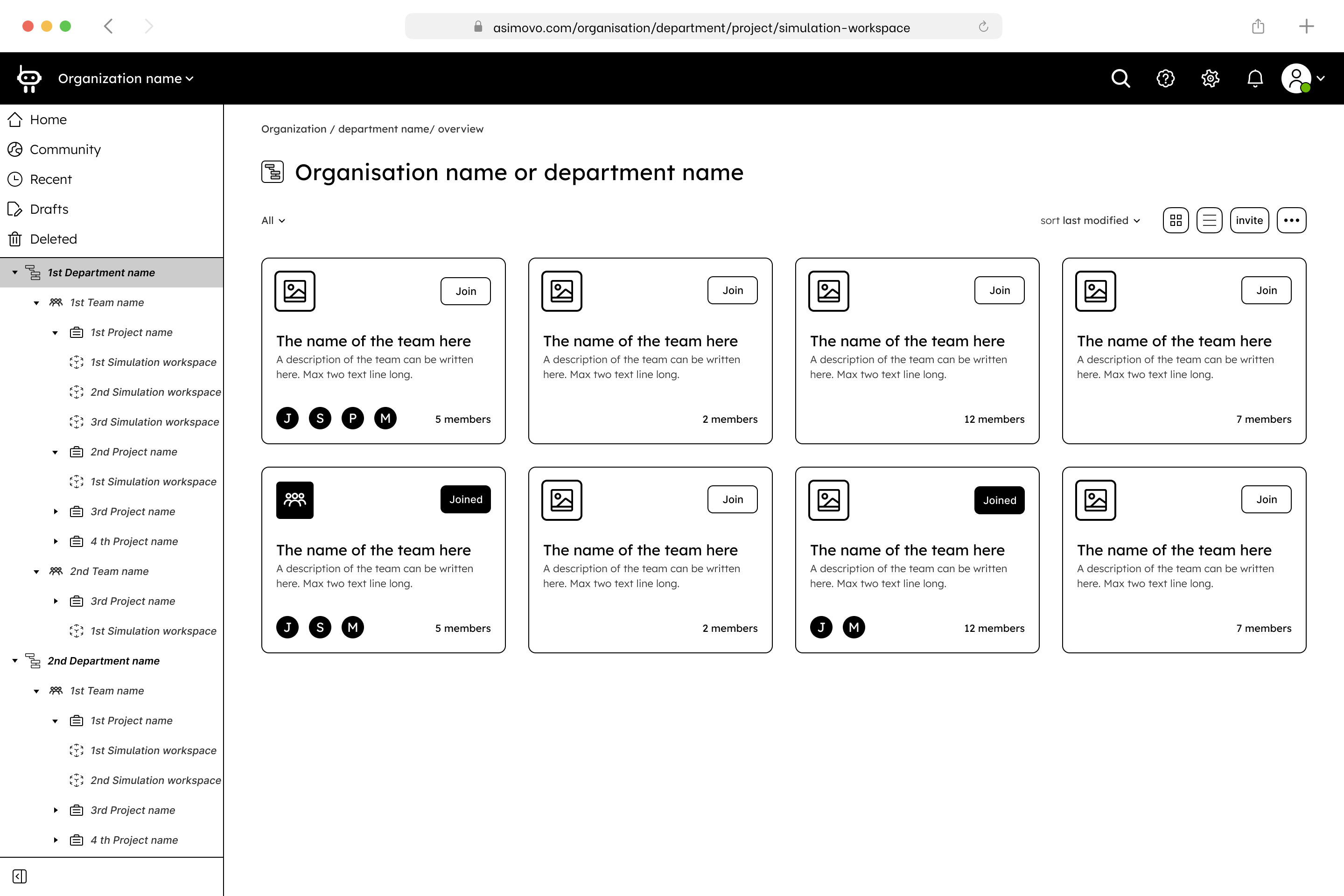
- What we built: a guided onboarding checklist, scenario wizard, status-forward dashboard, and asset library.
Positive feedback during live demos at ICRA2023. Why it worked: progressive disclosure for complex settings, familiar patterns (GitHub/Jira-like list/detail, activity), and in-context discussion attached to runs.
Problem & Goals
Testing and debugging robots in the real world is slow and expensive. Tooling is fragmented, onboarding is heavy, collaboration happens in Slack and Docs, and PMs lack visibility.
Project goals: enable efficient debugging before field deployment; promote best practices for autonomous robotics; centralize access to tools and project assets; shorten onboarding so new teammates contribute fast.
Success criteria: users complete core flows in moderated tests (task success and error rates); strong perceived usability (SUS) for v1; pilot users reach a first successful simulation quickly; early adoption signals for reviews and collaboration features.
Constraints & Challenges
- Complex domain: deep technical settings (ROS, env vars, runners) without overwhelming newcomers
- Rapid iteration: a 12-week runway to design, test, and refine
- Cross-functional alignment: frequent plan changes required close sync with devs and the CEO
- Infra limits: a server constraint capped runs at ≤2 hours; flows and messaging had to be designed around it
- Scalability: the IA had to support more robot types, environments, and pipelines over time
Research
A survey of potential users found 70% dissatisfaction with current simulation tools, accuracy, UI complexity, and poor collaboration cited most. I ran interviews with students, roboticists, software and mechatronic engineers to map workflows and pain points, a competitive scan of leading tools, and baseline usability testing on legacy flows (n=6).
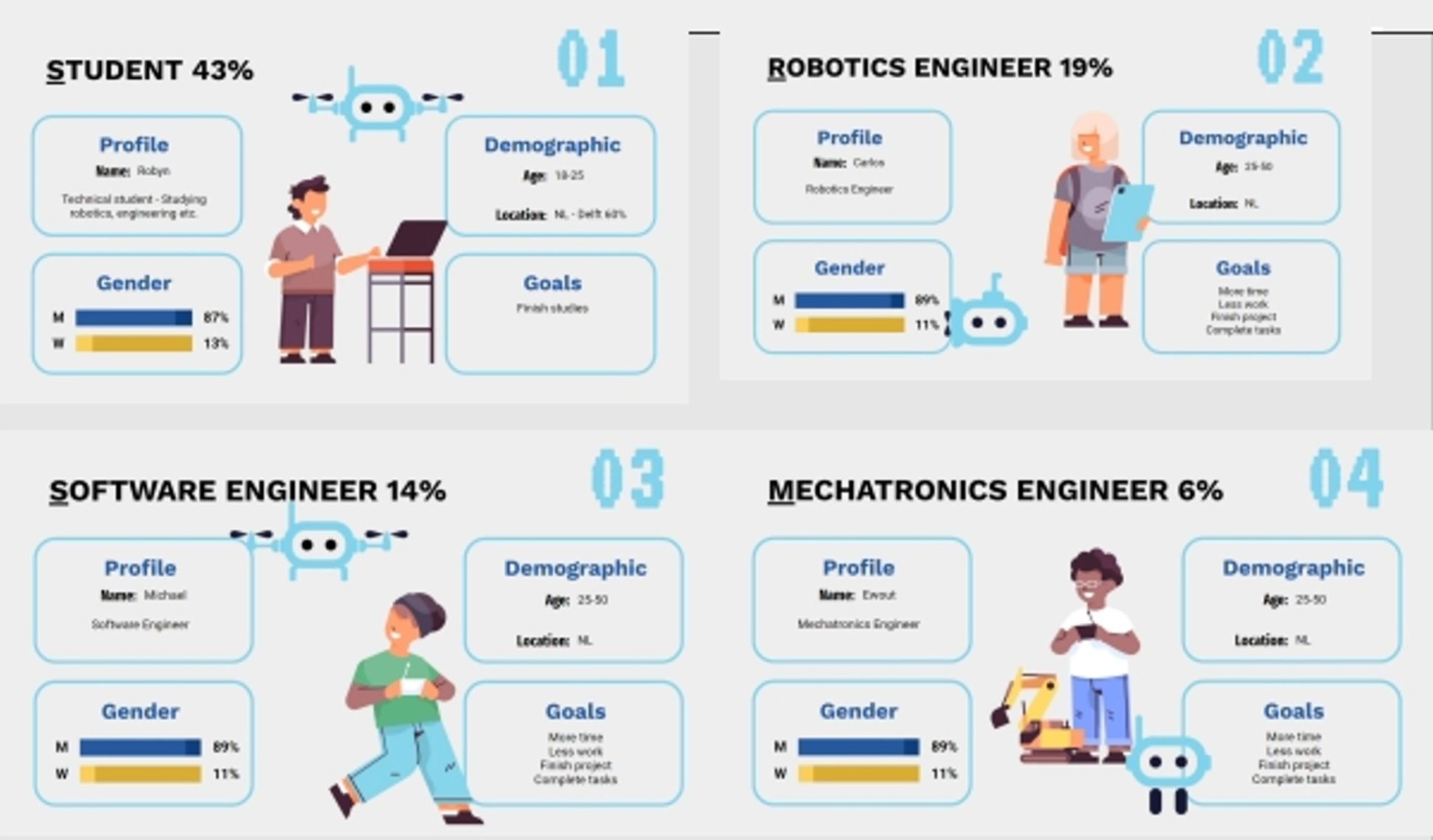
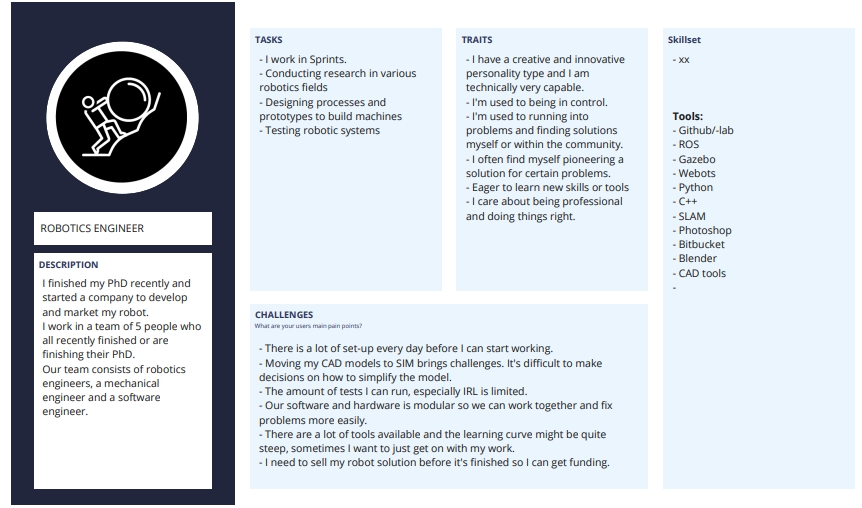
Key insights: engineers want fast setup, clear feedback when something fails, and scriptability. PMs want at-a-glance status across simulations with clear ownership and blockers. Teams need in-context discussion, screenshots and log excerpts next to the sim. Permission confusion created accidental "invisible walls" where people couldn't see runs. New users expect patterns like GitHub/Jira for navigation, search, and activity.
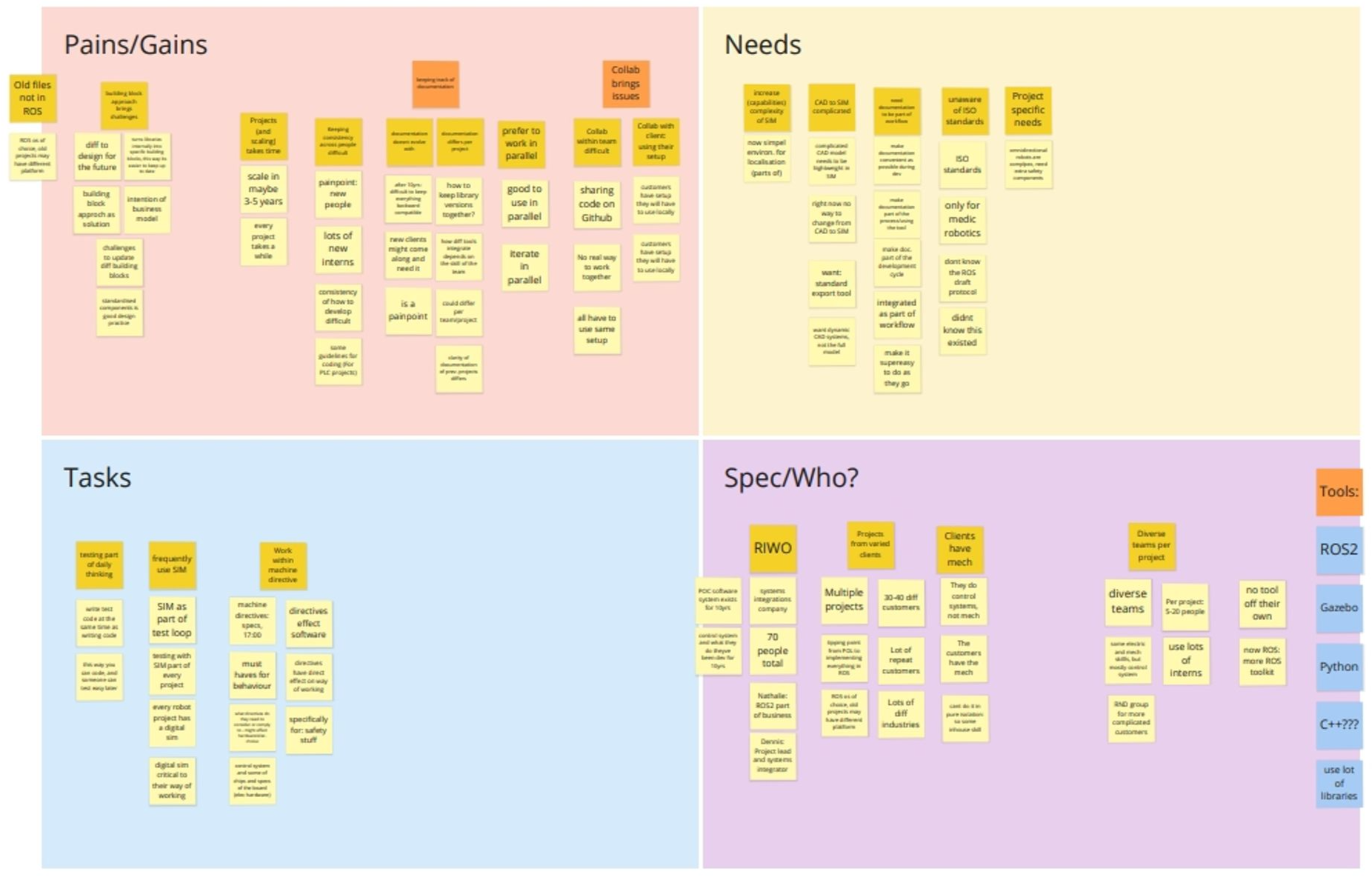
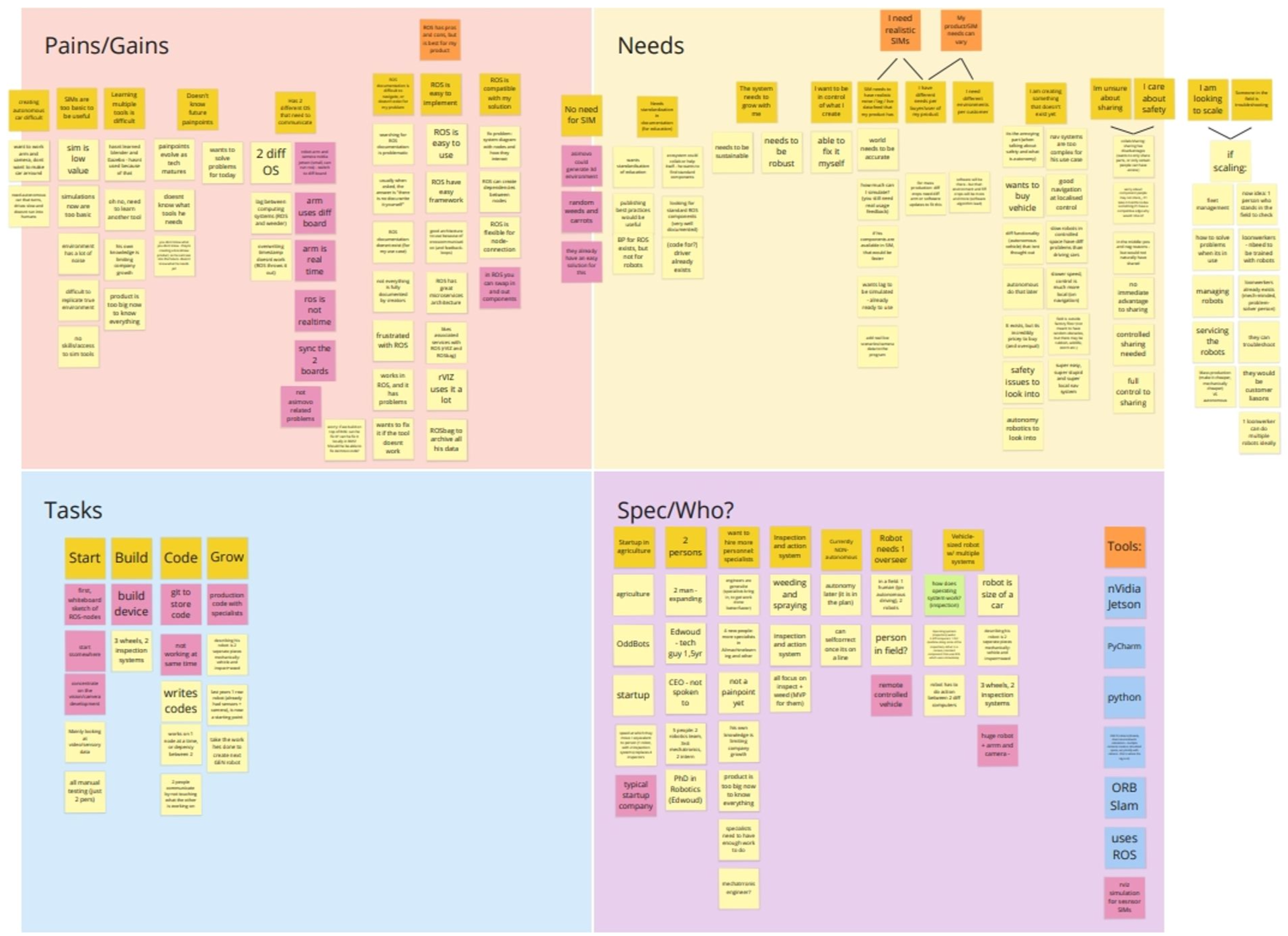
We synthesized over 150 data points from 8 interviews and 2 workshop boards into seven clusters: pains & gains, needs, workflows, participants, personas, JTBD, and opportunities. These findings directly shaped the onboarding checklist, scenario wizard, and collaboration features.
Personas
Priya, Robotics Engineer, speed and control, values logs, templates, CLI parity.
Luca, Project Manager, visibility and predictability, values dashboards, status, owners.
| Research focus | What it represents | Key insights & takeaways |
|---|---|---|
| Pains & gains | User frustrations and workflow blockers mapped from interviews | Complex onboarding (legacy assets, ROS setup); version drift across setups and OS versions; low trust in unrealistic simulations; collaboration scattered across Slack, GitHub, and email; inconsistent practices on 3–5 year projects |
| User needs | The voice of the user, distilled into actionable needs | Seamless CAD → SIM pipeline; realistic simulations in the daily workflow; in-context comments and review of runs; role-based access and traceability; built-in ISO and safety-standards awareness |
| Core tasks & workflows | Daily and lifecycle activities across technical and non-technical users | Simulation is part of every daily test loop; typical workflow is Start → Build → Code → Grow; results are archived and compared for learning and compliance |
| Participants & context | Who we interviewed and their technical ecosystems | System integrators (~70 employees, many concurrent projects, rotating interns) and 2–3 person startups in agriculture and inspection robotics; common tools: ROS/ROS2, Gazebo, Python/C++, NVIDIA Jetson, ORB-SLAM, RViz; cross-functional teams of 5–20 |
| Proto-personas | Archetypes drawn from research patterns | Integration Engineer: wants reliability, frustrated by environment setup and long debug cycles. Founder-Engineer: wants speed and scalability, values clarity, safety, and quick onboarding |
| Jobs to be done | Key goals and motivations behind behavior | Setup & learn; diagnose & iterate; collaborate & share; prove & scale |
| Opportunities → design responses | Links between pain points and design interventions | Guided setup checklist and validated templates; project presets against version drift; comments, mentions, and review threads on results; dashboards showing health, owners, and blockers; run history and exports for audits |
Users, JTBD & Journey
- When starting a new simulation, I need working defaults so I can validate quickly without wrestling with config.
- When a run fails, I need precise, actionable feedback to fix it fast.
- When the team iterates, I need reviews & decisions attached to runs so nothing is lost.
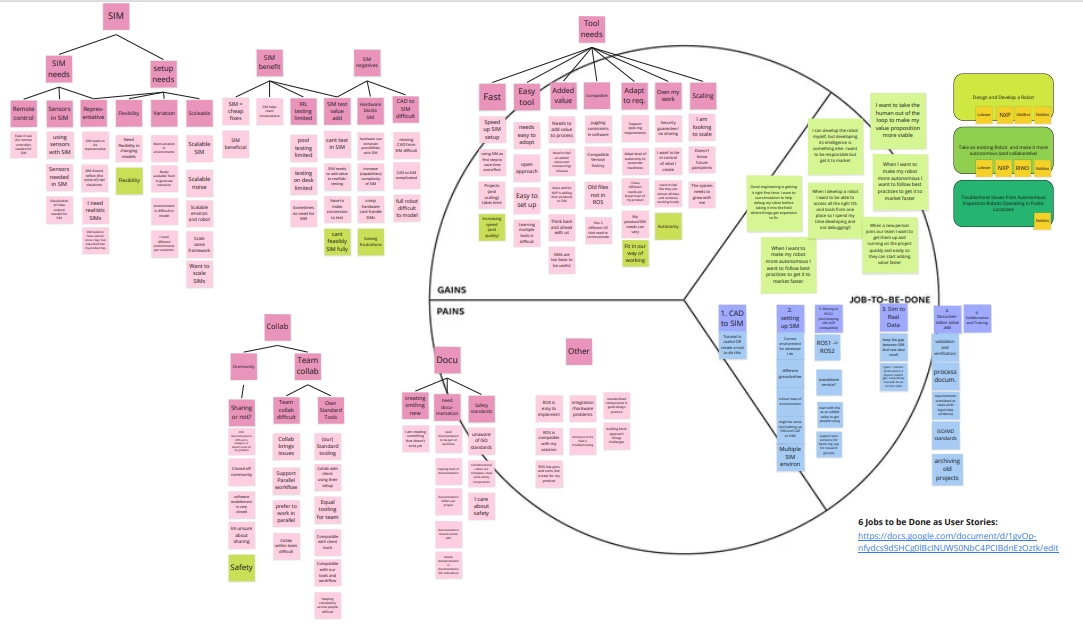
Journey pains → opportunities: onboarding drag → guided checklist with preflight checks and templates; scattered collaboration → reviews and annotations tied to outputs; permission ambiguity → role previews and shareable read-only links.

Strategy & Principles
- Speed to value: optimize the path to the first successful run
- Familiar where it helps: GitHub/Jira mental models for nav, activity, and reviews
- Progressive complexity: simple defaults first, advanced settings when needed
- Collaborate in context: comments, mentions, and attachments on runs
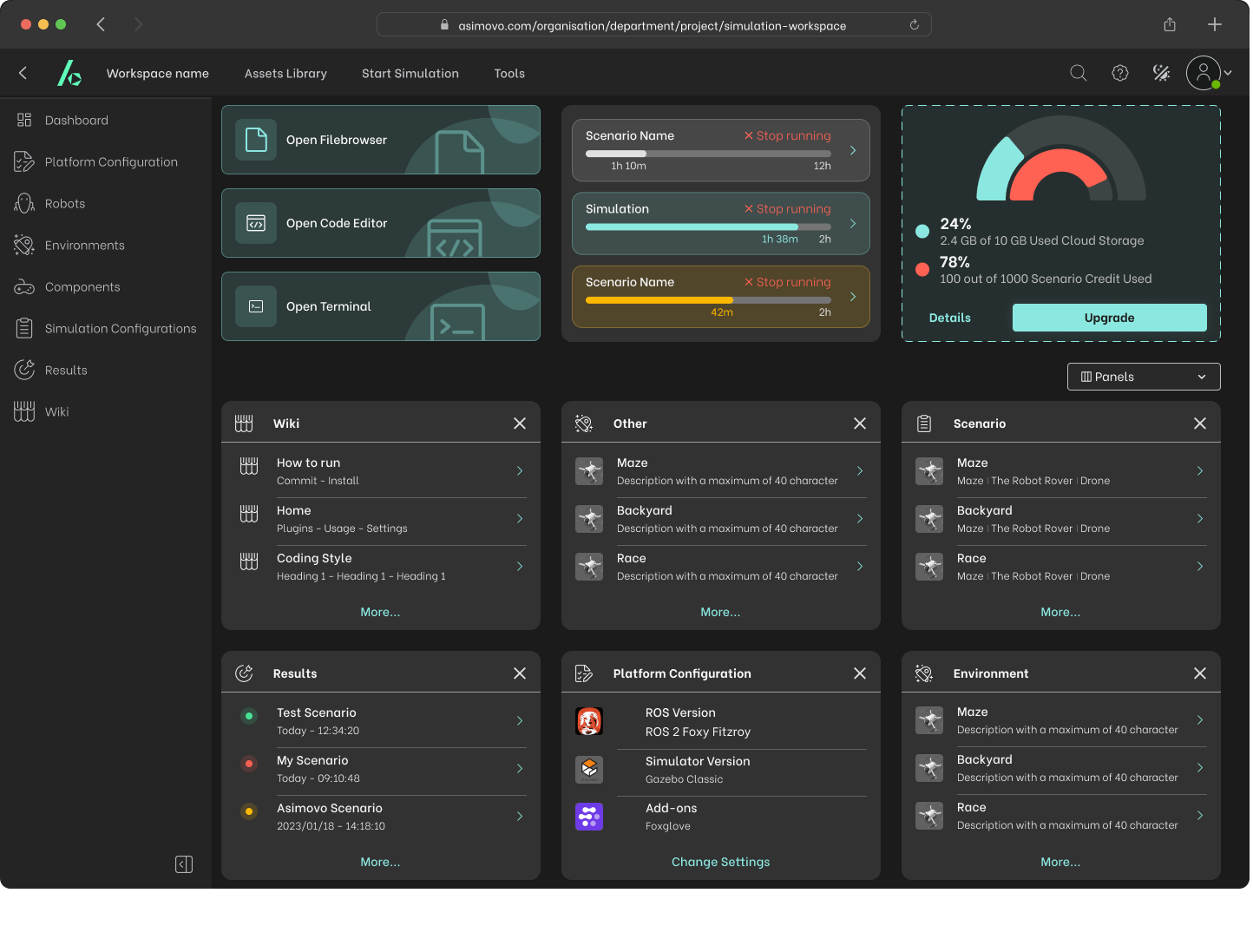
- Visibility by default: status and owners surfaced at the top level
Information Architecture
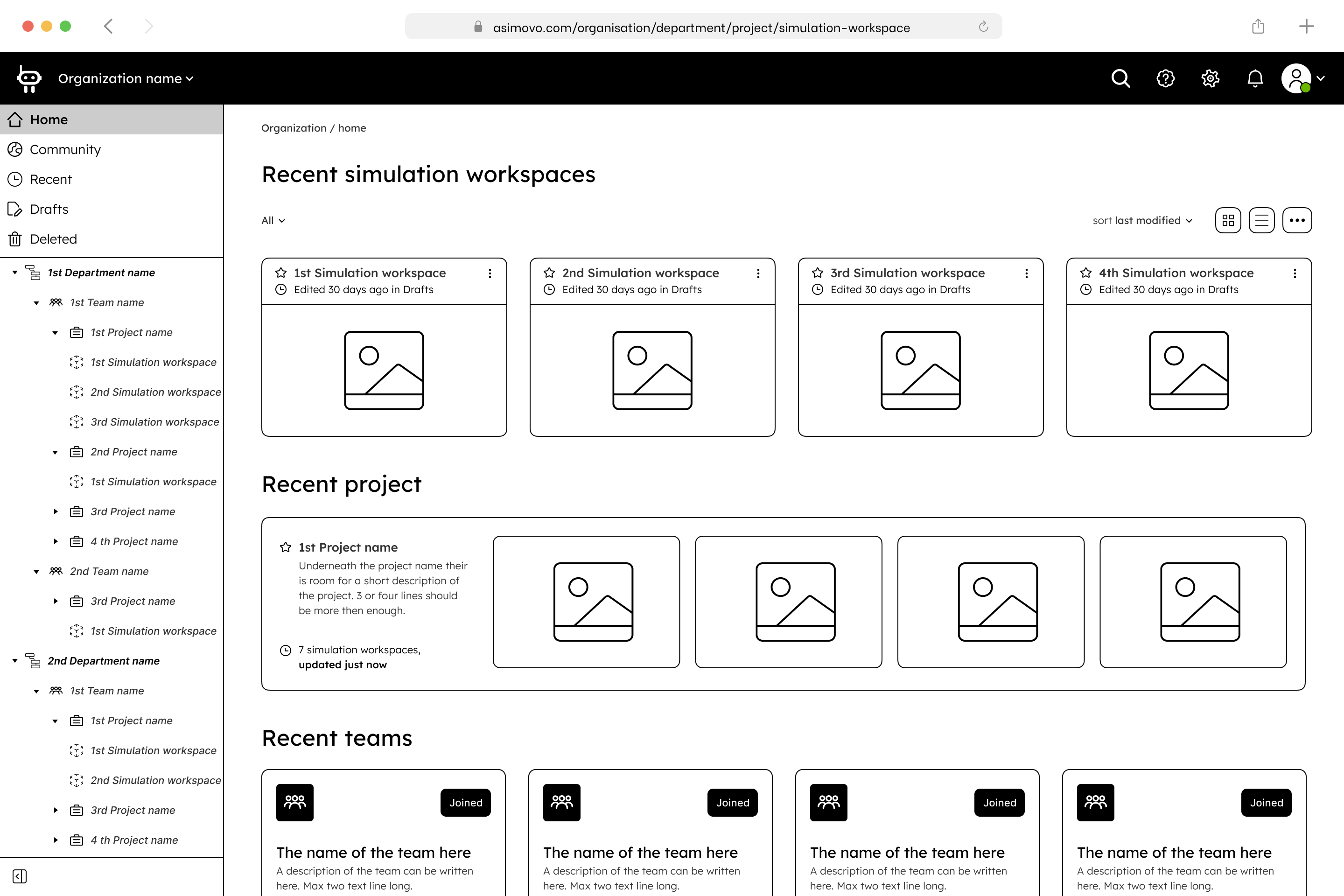
Top-level: Home / Projects / Simulations / Reviews / Assets / Team / Settings. Project: Overview, Environments, Runs, Assets, Activity. Permissions: Admin, Engineer, Reviewer, Viewer, with clear scopes and previews. Search: global keyboard search across sims, runs, and people.
Key Flows
1) Guided Onboarding
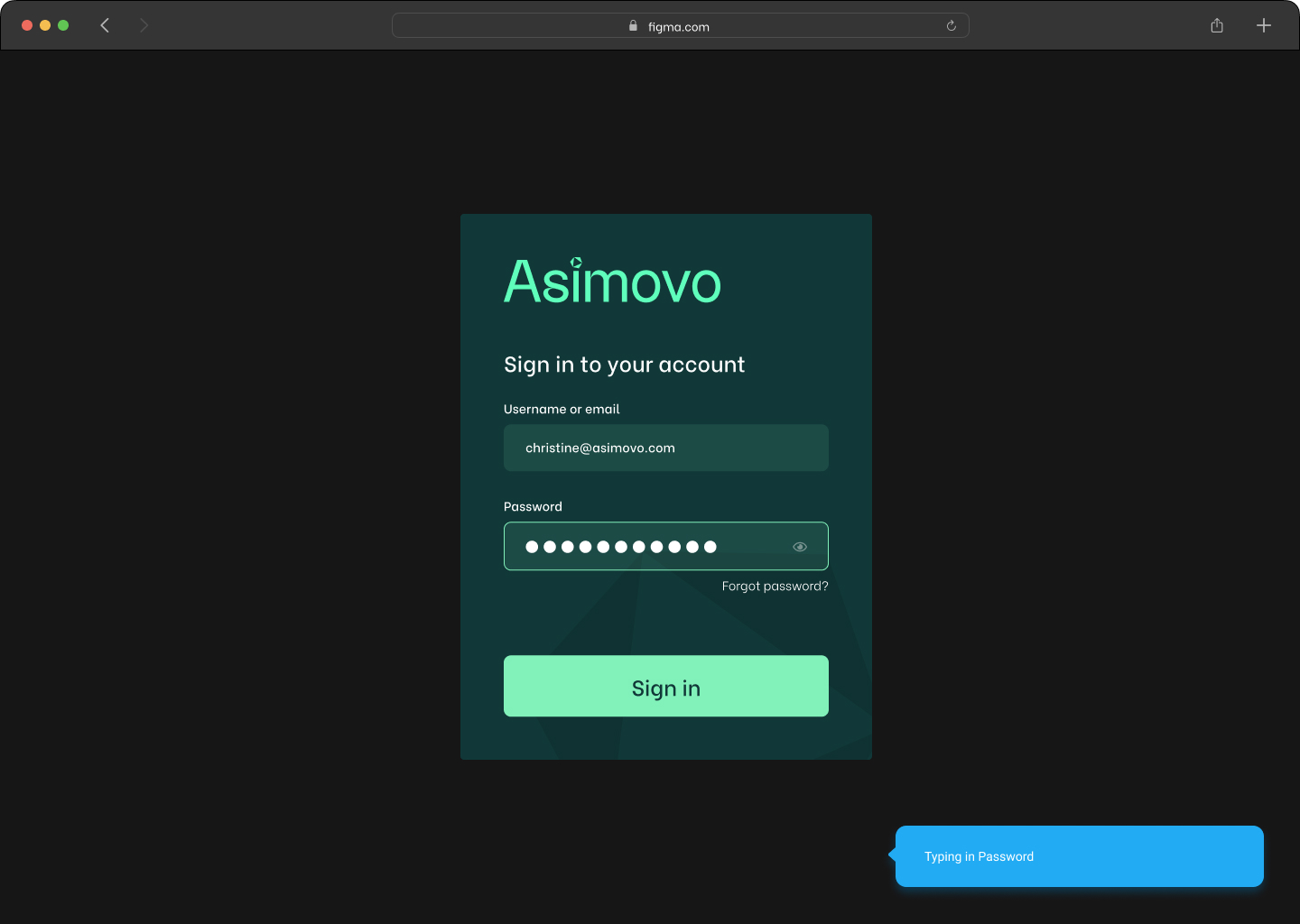
A single checklist with preflight checks and validated ROS/Gazebo templates → pilot users reached first run in under 15 minutes (median).
2) Scenario Wizard
Guided steps with sensible defaults, previews, and validation before run, reducing setup errors and cognitive load.
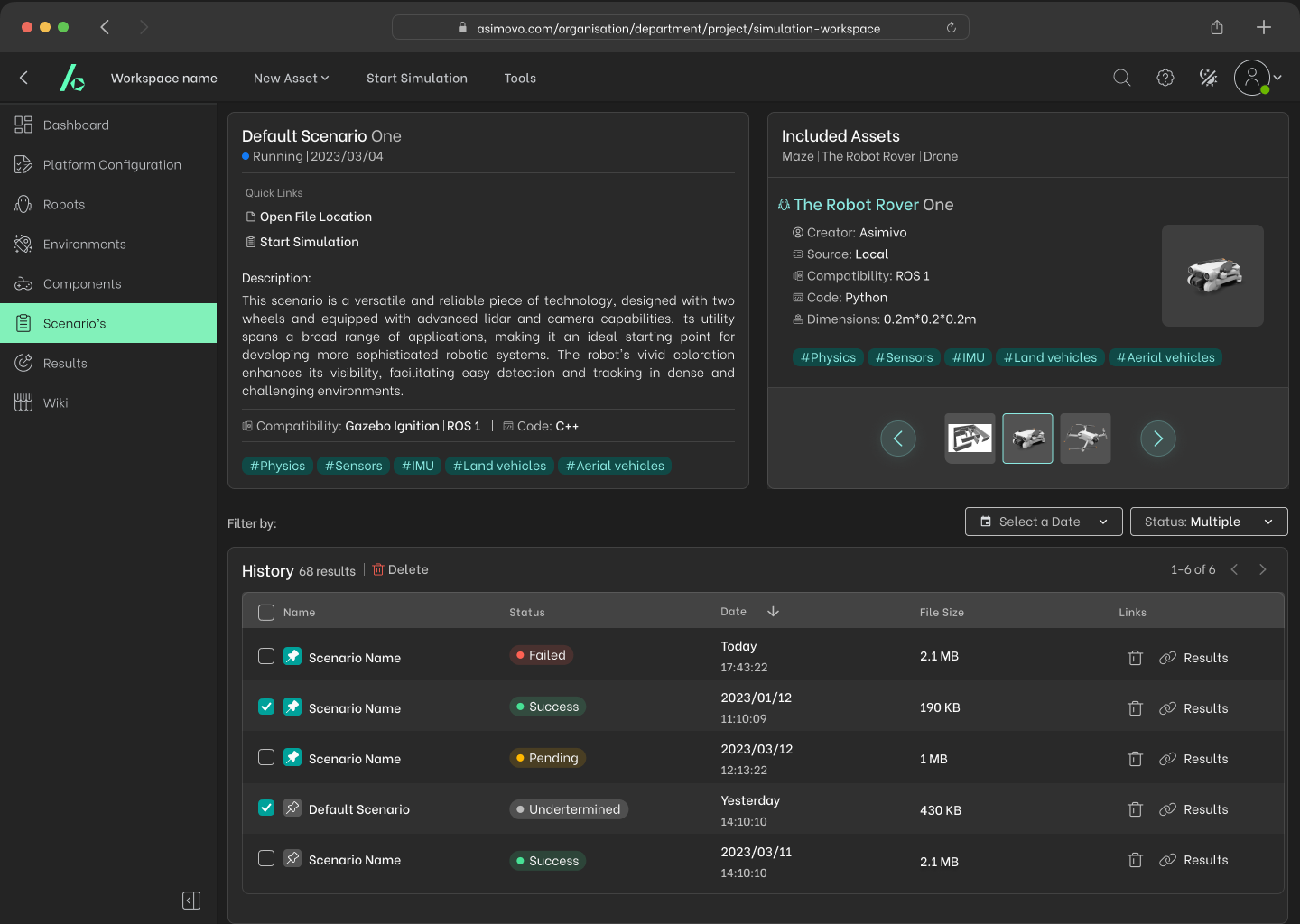
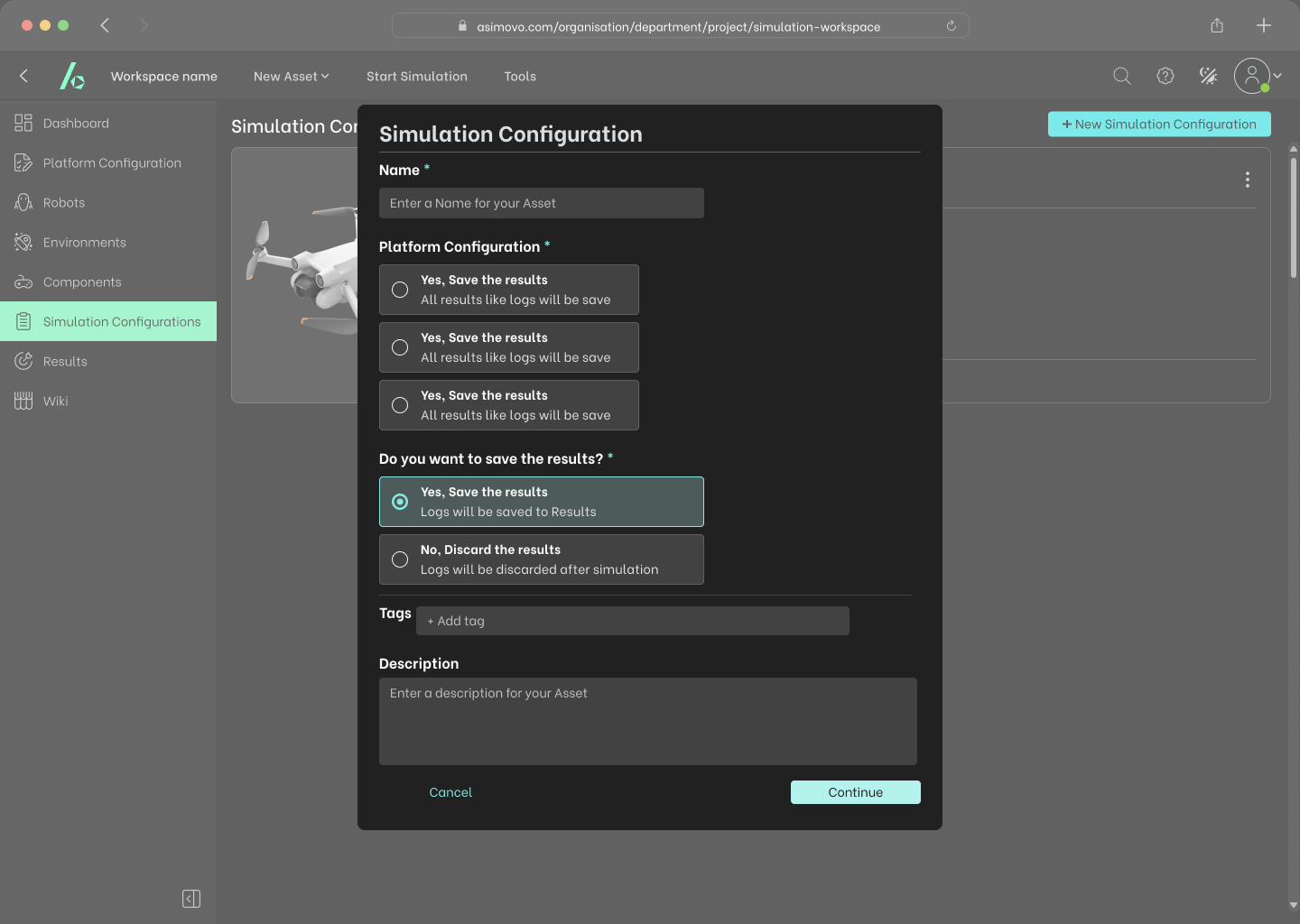
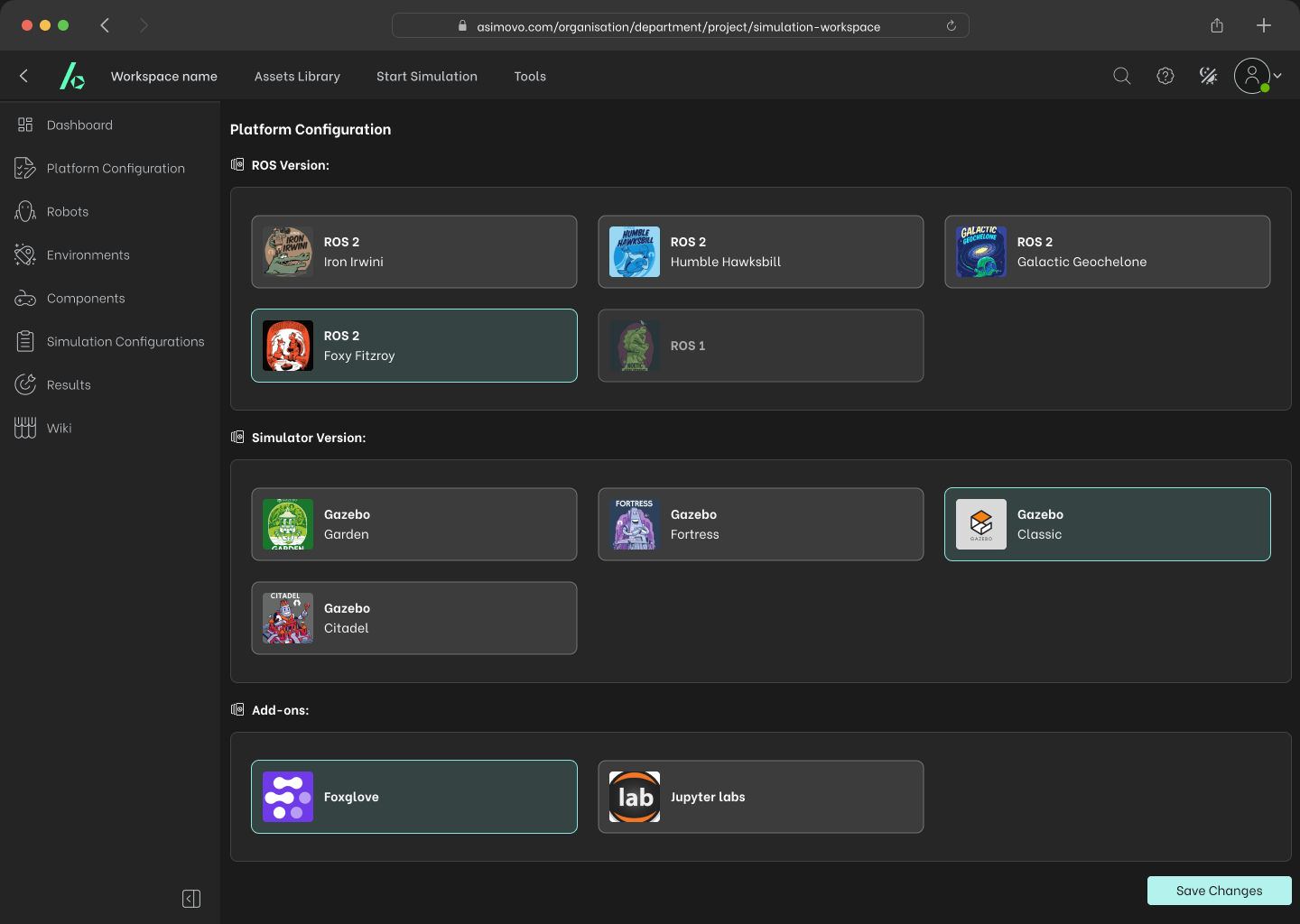
3) Run & Results
Live status and logs, a filterable results table, and saved views by robot, environment, or tag, faster diagnosis for engineers, readable outcomes for PMs.
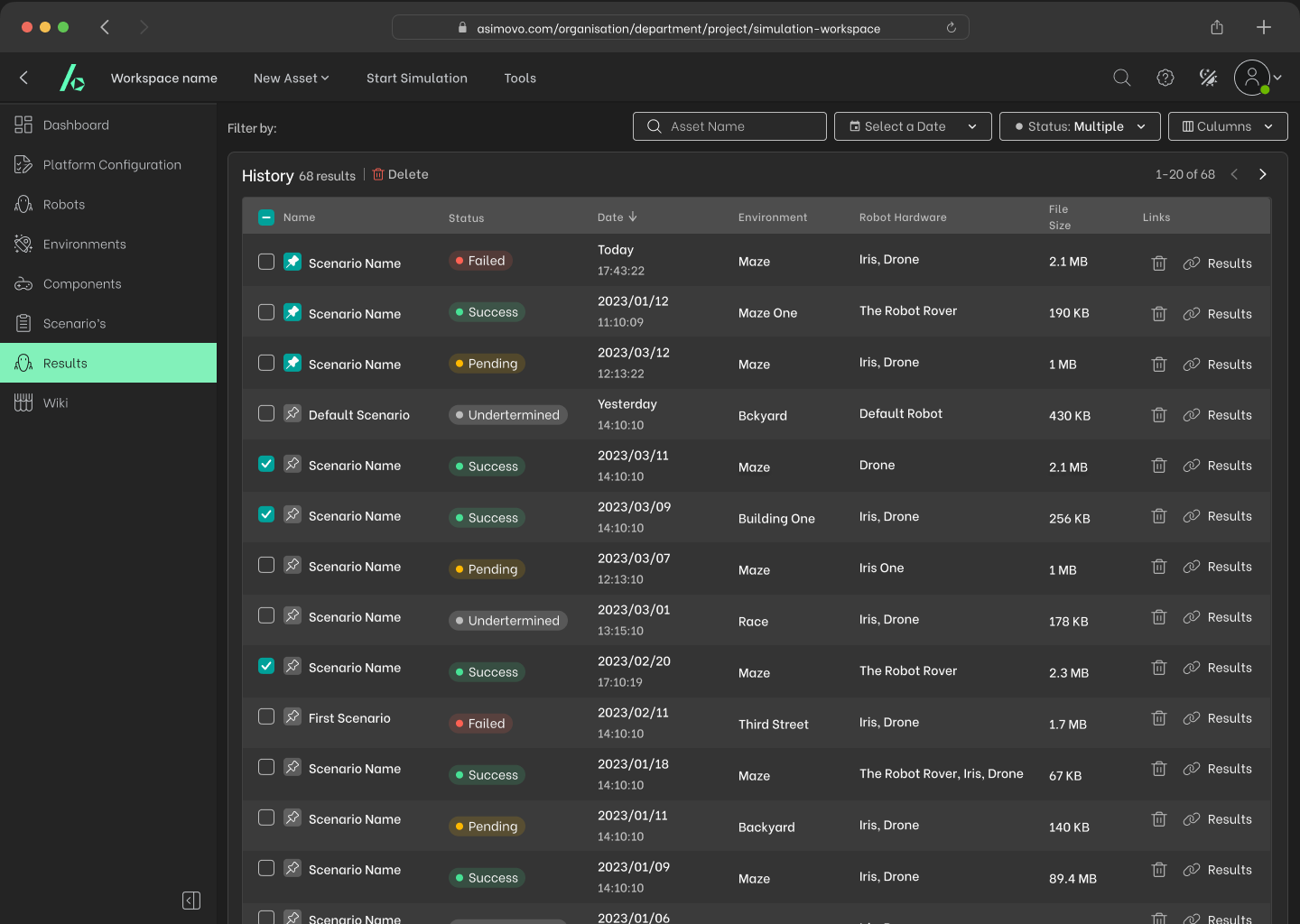
4) Collaboration & Reviews
Inline annotations, mentions, and attachments; resolving threads auto-compiles a decision log, so discussions stay where the work happens.
5) Assets & Knowledge
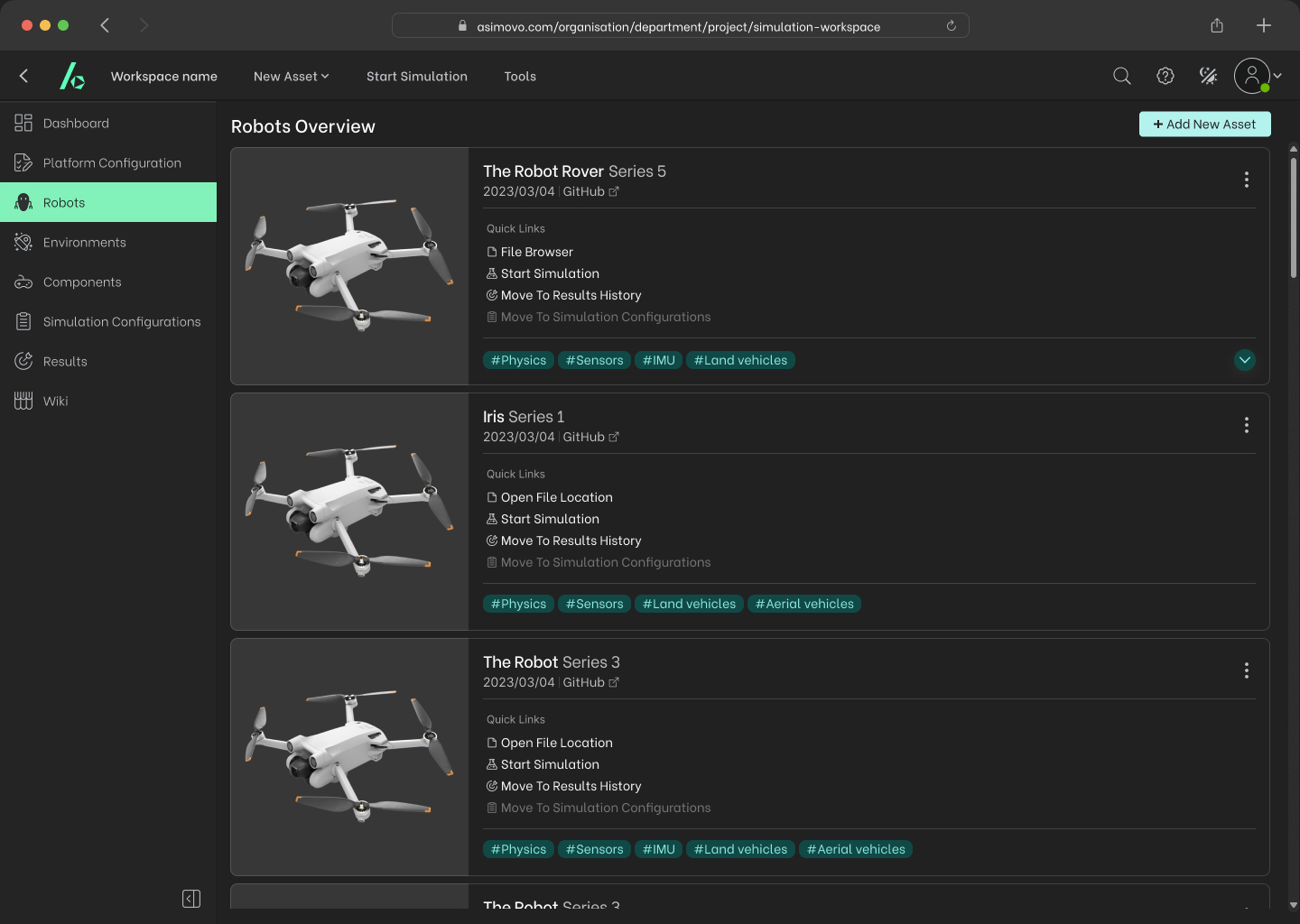
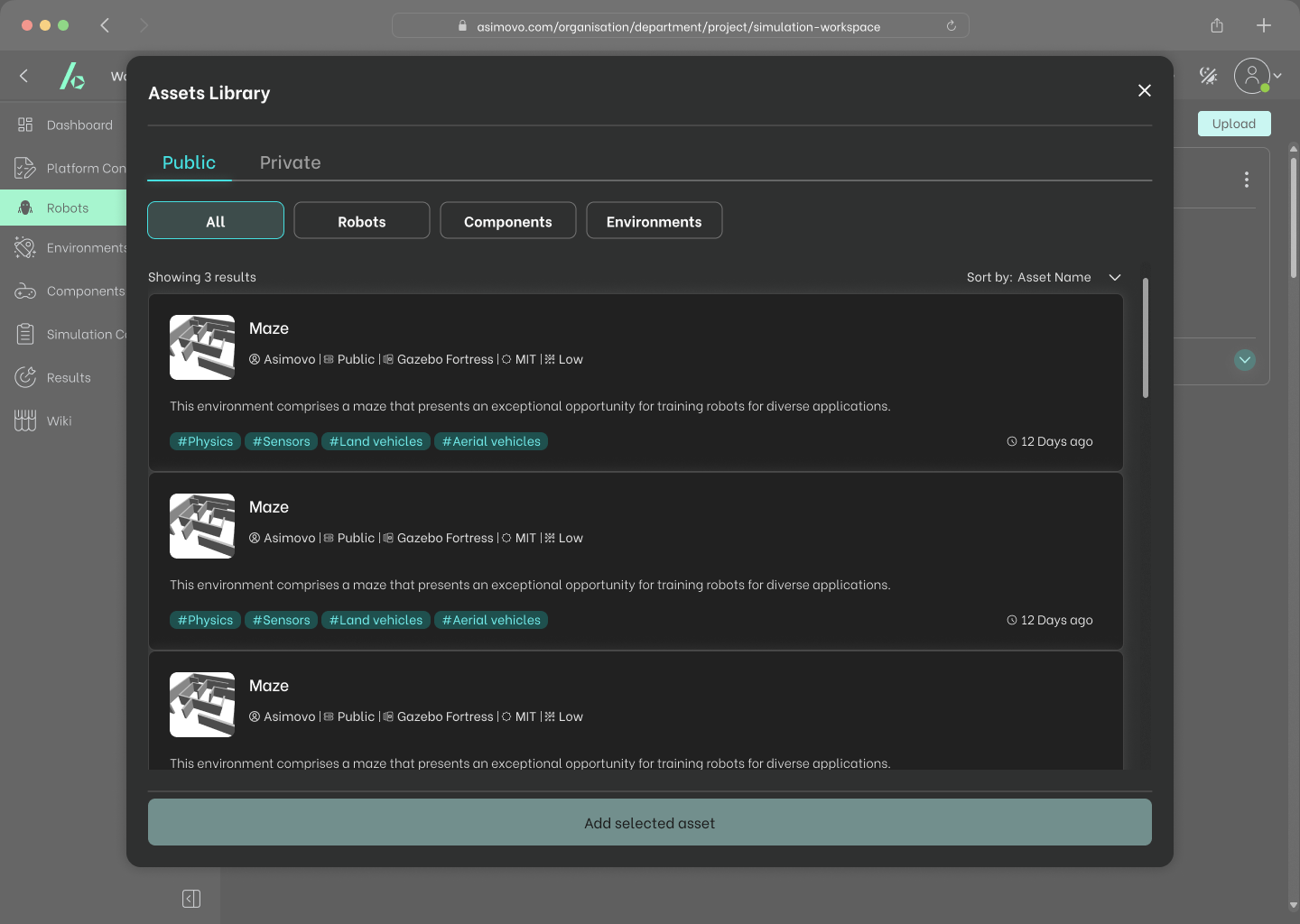
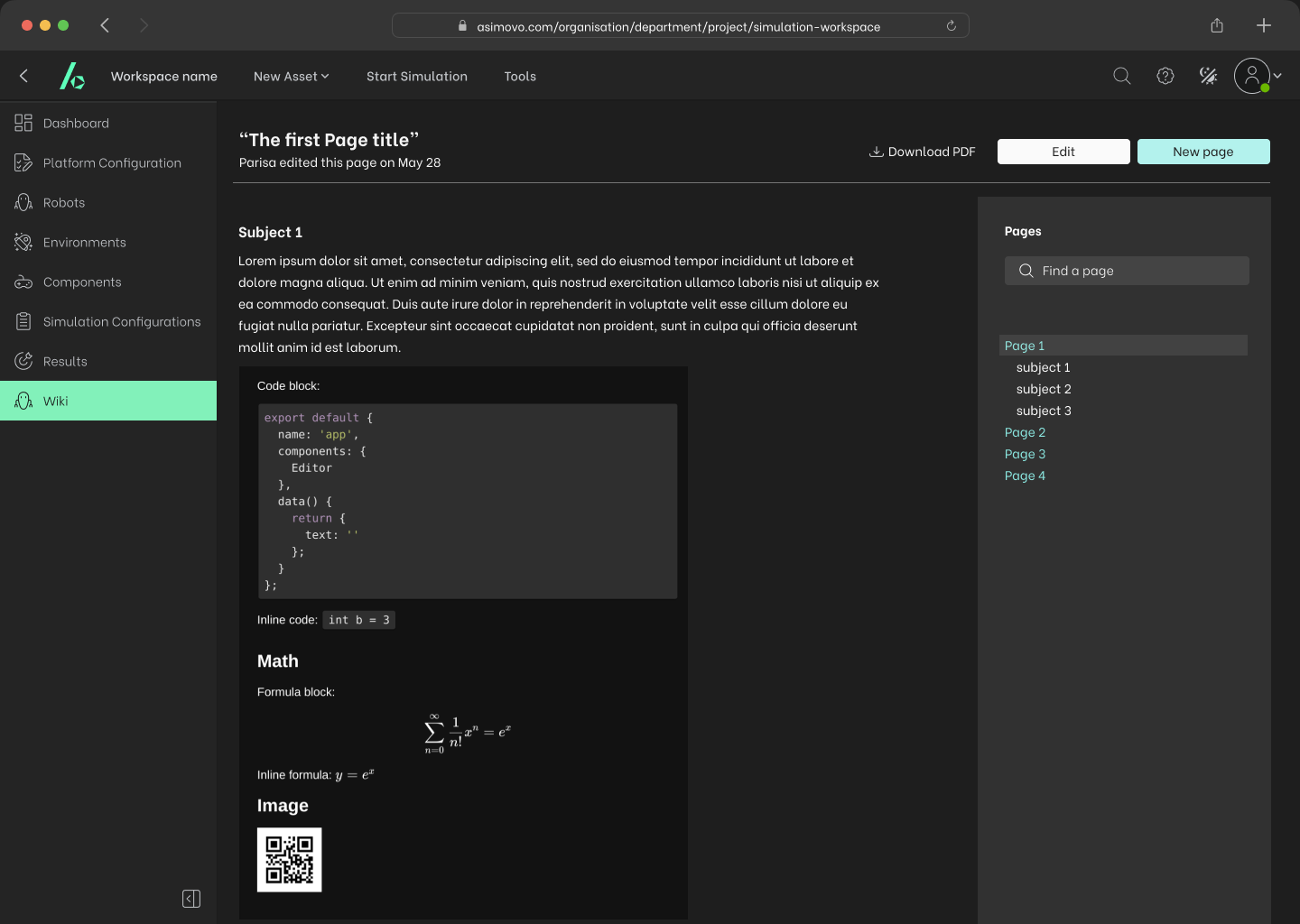
Asset management for configs, datasets, and environments, plus a wiki for best practices and templates, faster onboarding and knowledge sharing.
Prototyping & Testing
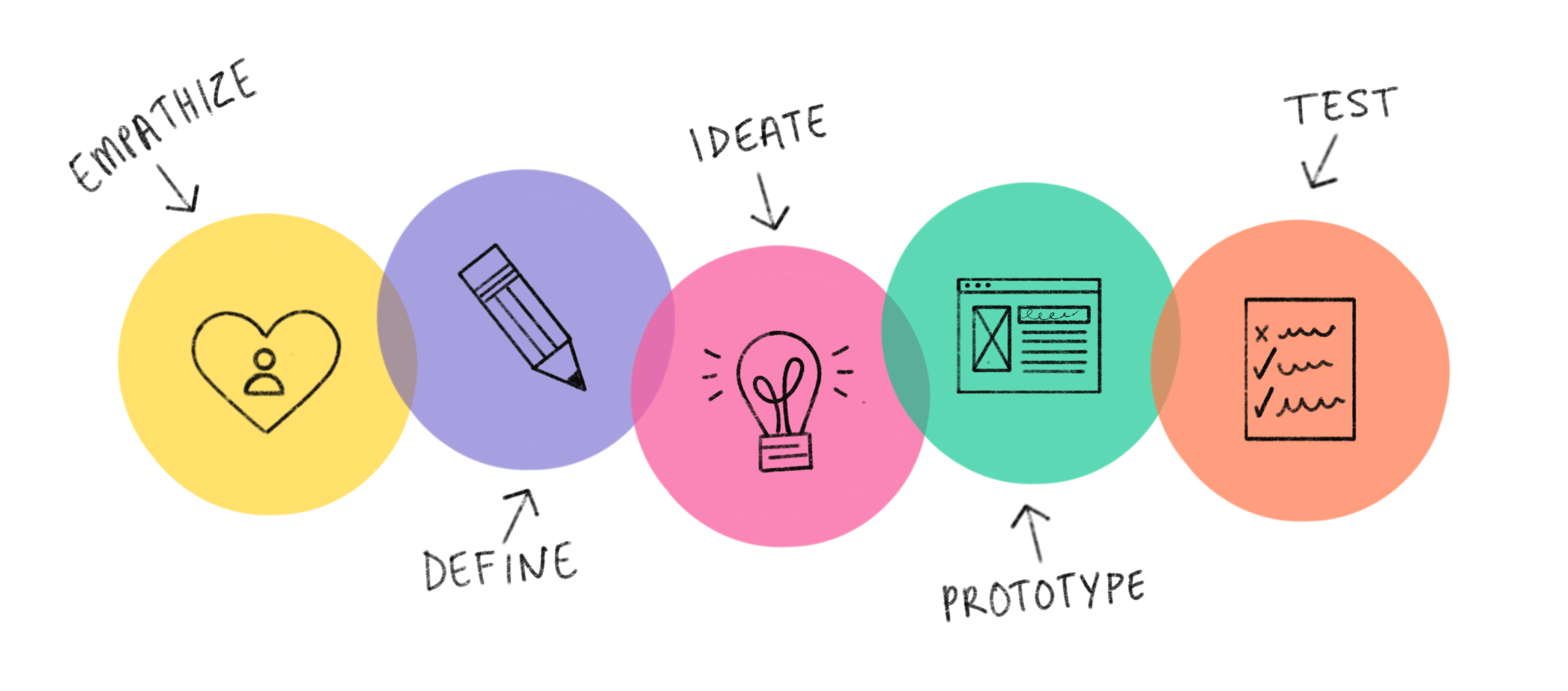
Lo-fi → mid-fi → hi-fi in Figma, each round tested with tasks mirroring real workflows: complete onboarding, run a template, diagnose a failing run, request a review and resolve it, invite a PM with the right role, save and share a view.
Iterations: the primary action was unclear, so we added a single Run CTA with a shortcut. Environment variables were confusing, so we added validated presets with inline examples. Reviews were under-discovered, so we promoted them to the top nav and added badges.
Design System & Accessibility
Tokens: type scale, spacing, color intent (info/success/warn/error), elevation. Components: header, left nav, metric tiles, run table, log viewer, review thread, empty states, modal, toast. Accessibility: 4.5:1 contrast on text, visible focus states, full keyboard navigation, semantic tables, a reduced-motion option.
Impact & Outcomes
- Task success: 91% completed key flows in moderated tests (n=12)
- Usability: SUS 80/100 for v1
- Time-to-first-simulation: median under 15 minutes in pilot onboarding
- Collaboration: over 60% of pilot teams used Reviews in month 1
- Industry recognition: showcased at ICRA2023, with positive feedback on clarity and potential to reduce development time and costs
Reflections & Lessons Learned
Communication & collaboration. Weekly syncs with devs, PM, and CEO kept design aligned with architecture and timelines.
Prioritization under constraints. Operating in a startup environment required smart prioritization. Using an impact–effort matrix, I focused on features that delivered maximum value quickly, the onboarding checklist and simulation wizard, while deferring complex customizations to later releases.
Adaptability. Because the product evolved rapidly, I learned to iterate fast, adapting designs to new backend capabilities and pilot feedback. Staying flexible ensured design supported both user needs and business realities.
Personal growth. This project strengthened my ability to design complex systems for technical audiences, run usability testing that produces actionable insights, communicate design rationale across teams, and build scalable design systems from a blank slate.
What I Shipped
UX strategy and metrics, information architecture, end-to-end flows, high-fidelity UI, a starter design system, prototype test plans, and developer handoff specs.
Key Takeaways
- Designing a product from zero demands clarity, structure, and collaboration.
- Validating early with real users is more valuable than perfecting in isolation.
- Effective communication between design and engineering is what transforms ideas into a functional, intuitive product.